 TripBox
The whole trip, in everyone's pocket
Visas, passports, bookings, notes and links sorted into folders, shared with the people you travel with and there for you even with no signal.
- Free
- Works offline
- Data stored in the EU
- No ads
Ready in three steps
Nothing complicated to set up. Create the trip, invite your people and everyone adds what they have.
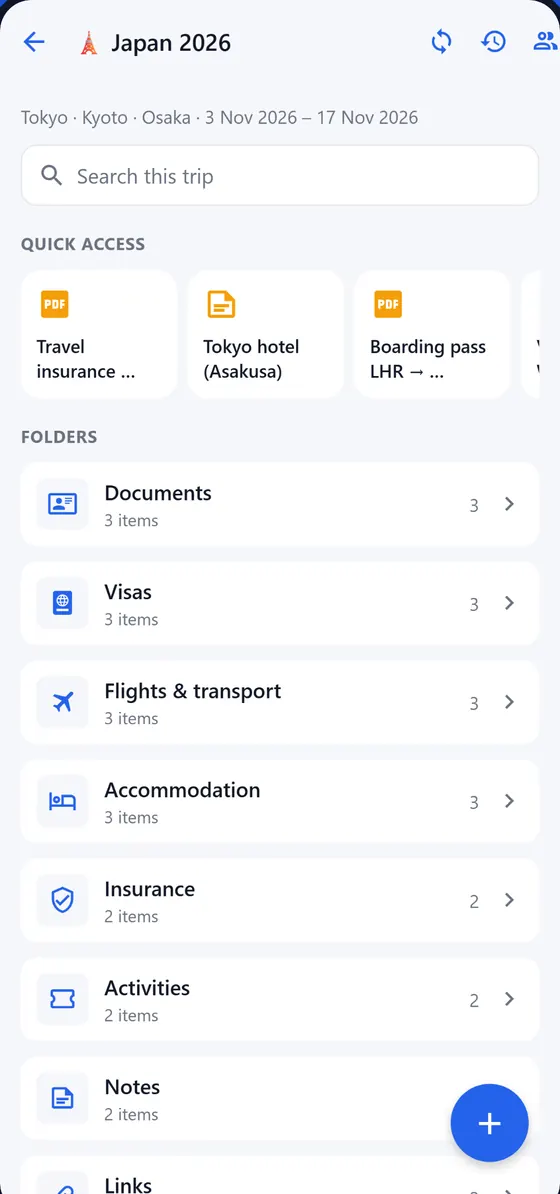
Create the trip
Give it a name, dates and destinations. TripBox sets up the usual folders: documents, visas, flights, accommodation, insurance…
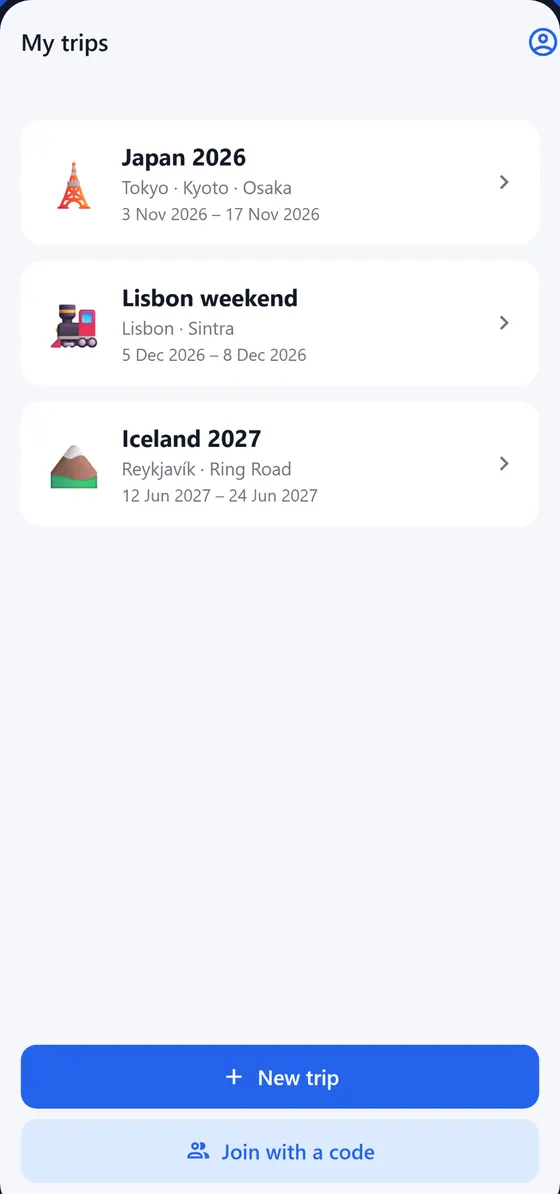
Invite your companions
Share a code or a QR. Whoever joins sees every change instantly, on their phone or in the browser.
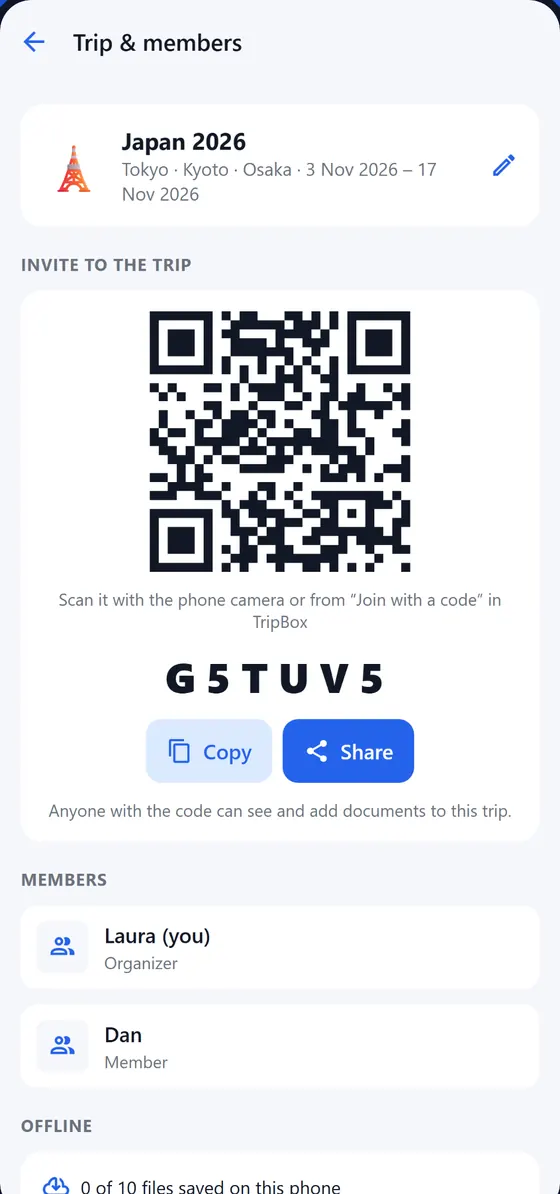
Save it and relax
Upload PDFs and photos, scan paper documents or forward booking emails. Everything is downloaded for when there's no signal.
What you need before, during and after the trip
Made for those moments at the airport desk when nobody can find the booking.
Shared trips
Folders, quick access and real-time sync between all the members.
Works offline
Open your documents in airplane mode, on the subway or in a village with no coverage.
Trip email
Every trip has its own address. Forward the confirmations and they show up inside.
Itinerary
Flights, hotels and plans in order, with reminders so you check in on time.
"Now" panel
Home time and local time at a glance, plus a countdown to the next plan.
Shared expenses
Who paid what, who owes how much and how to settle up, in several currencies.
Receipts and invoices
Snap a photo of the receipt and turn it into an expense without typing the amount.
Document scanner
Scan paper documents with the camera and keep them as clean, readable PDFs.
Expiry reminders
We warn you if your passport expires too soon, including the 6-month rule.
Medical schedules
Reminders for malaria pills, vaccine doses and appointments.
Protected files
The important stuff can't be deleted unless both of you confirm.
History and undo
See who changed what and undo it with one tap. Available in 6 languages.
Forward the booking, done
Every trip has its own email address. Forward the flight, hotel or museum ticket confirmation there and it appears in the trip for everyone, attachments included.
- Works from any email app, on your phone too.
- Attached PDFs are saved as trip documents.
- With Plus, AI files it in the right folder, adds the itinerary event, logs the expense and leaves you a summary.
Check-in Nov 3 · 4 nights · Booking #A82K-19 · €412.00
Clear accounts, no spreadsheets
Log each expense, choose who it's split between and TripBox works out the balances. At the end of the trip it tells you who pays whom with the fewest transfers.
- Split equally or by amounts.
- Multiple currencies, converted to yours.
- Snap the receipt instead of typing.
- Mark as settled once someone pays.
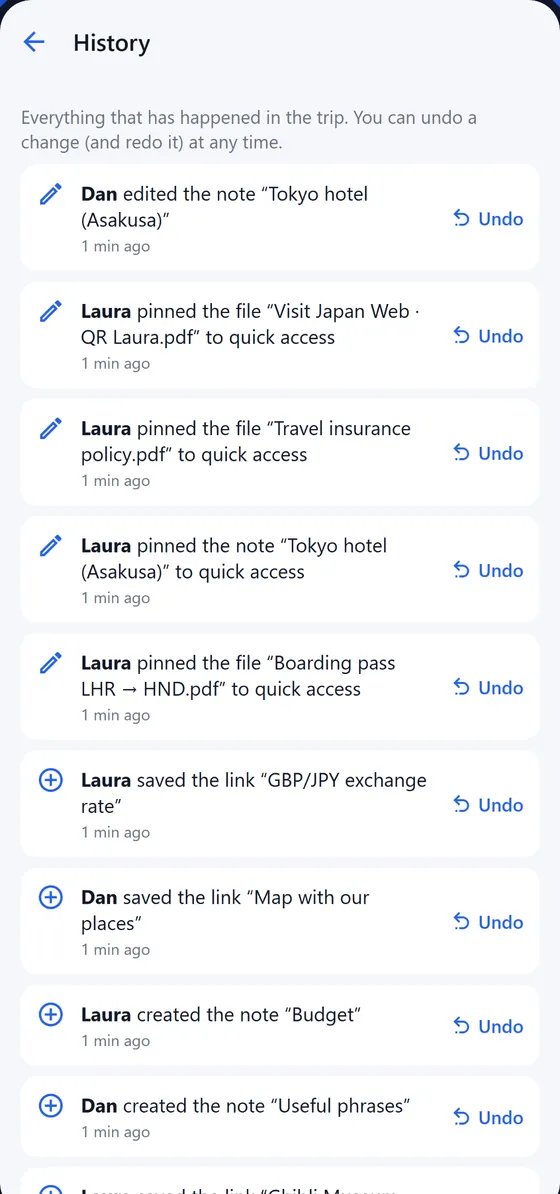
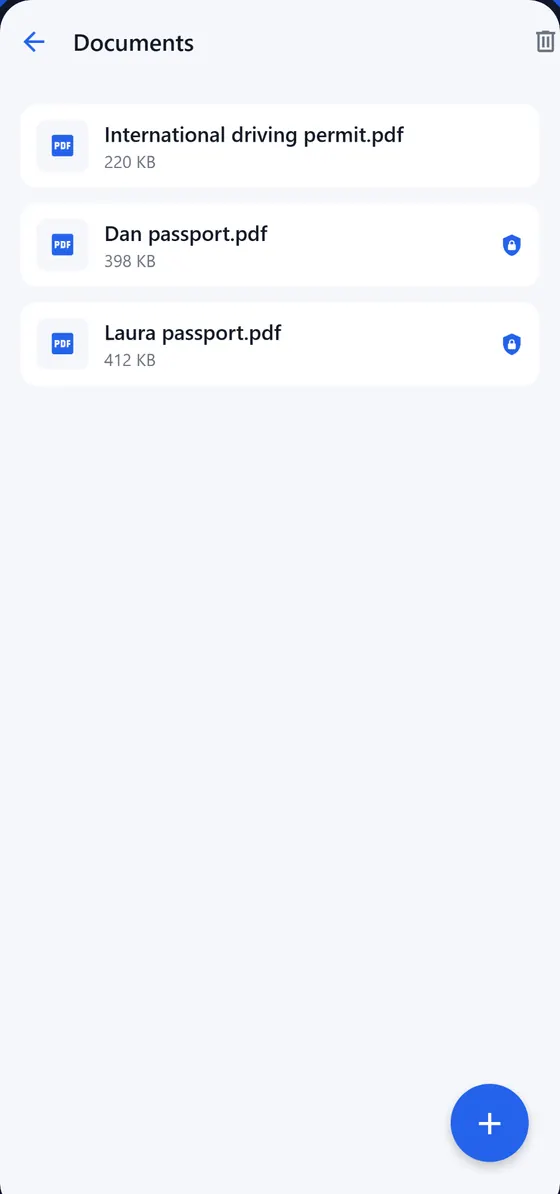
Nobody deletes the passport by mistake
Mark a file as protected and it can only be deleted if both of you confirm. And if someone changes or removes something, the history keeps every step so you can undo it whenever you like.
- Sensitive files that delete themselves when the trip ends.
- Your documents in private storage in the EU.
- No ads, and we don't sell your data.
Free forever. Plus if you want AI to help
Plus sorts the emails you forward and reads your receipts. If just one member has Plus, AI works for the whole trip.
Free
Everything you need to organize the trip.
- Shared trips with folders and quick access
- Offline use and real-time sync
- Trip email, itinerary and "Now" panel
- Shared expenses in multiple currencies
- Scanner, expiry and medical reminders
- 5 AI tries to test it out
Plus
or €24.99 a year (save 30%).
- Everything in Free
- AI files forwarded emails in the right folder
- Creates itinerary events and expenses automatically
- Summaries of every booking
- Reads receipts and invoices
- Turns on AI for the whole trip
You can cancel Plus anytime.
Common questions
Is TripBox free?
Yes. Every feature is free except AI, which is part of TripBox Plus. Even so, the free plan includes 5 AI tries so you can see how it works.
Does it work offline?
Yes. Your trip documents are downloaded to your phone so you can open them in airplane mode or with no signal. Anything you change offline syncs once you're back online.
Where is my data stored? Who can see it?
Your trips and files are stored on Microsoft Azure, in the West Europe region (EU). Only the trip members can see them, and files are downloaded through temporary links that expire within minutes. No ads, and we don't sell data. More in the privacy policy.
How do I invite my travel companions?
In the trip, tap "Members" and share the invite code or the QR. Your companions enter it in the app or in the browser and see the whole trip right away.
Do I need the app, or is the browser enough?
You can use TripBox at app.tripboxapp.com from any computer or phone. The Android app (beta) and the iPhone app (coming soon) are the best way to carry your documents offline and get reminders on your phone. Your account and trips are the same everywhere.
Can I cancel Plus?
Anytime. You keep Plus until the end of the period you've already paid for, then you go back to the free plan without losing any trip or document.
Does everyone on the trip need Plus?
No. If one person on the trip has Plus, AI works for the whole trip.
Your next trip, no lost paperwork
Create the trip in a minute and invite the people you travel with.